Document automation
as simple as a ✓ checklist.
Keep one Word document with every section your team uses. Modulo turns it into a checklist — tick what this project needs and get a clean, perfectly formatted document in seconds.
No credit card · No cloud account · Unlimited seats on one trial key
An interactive illustration — the real Modulo is a Windows desktop app.
Every firm has the same three bad options
Structured documents — reports, proposals, advice letters — are mostly the same sections, project after project. Yet the way most teams build them hasn't changed in twenty years.
Copy an old document
Open last month's report, spend 20 minutes deleting what doesn't apply, another 20 hunting for what does — and hope you didn't leave the old client's name in the header.
Dig through templates
Ten scattered templates, all slightly out of date, none quite right. Pick the closest one and patch it — differently every time.
Maintain a wiki
Wikis, SharePoint, "best examples" folders — they all fail because maintaining them isn't anyone's actual job. The documentation always loses.
One document. Every project. Every time.
Modulo replaces all of it with a single Word document — your master: the living record of everything your firm has learned. It isn't documentation about how your firm works. It is how your firm works.
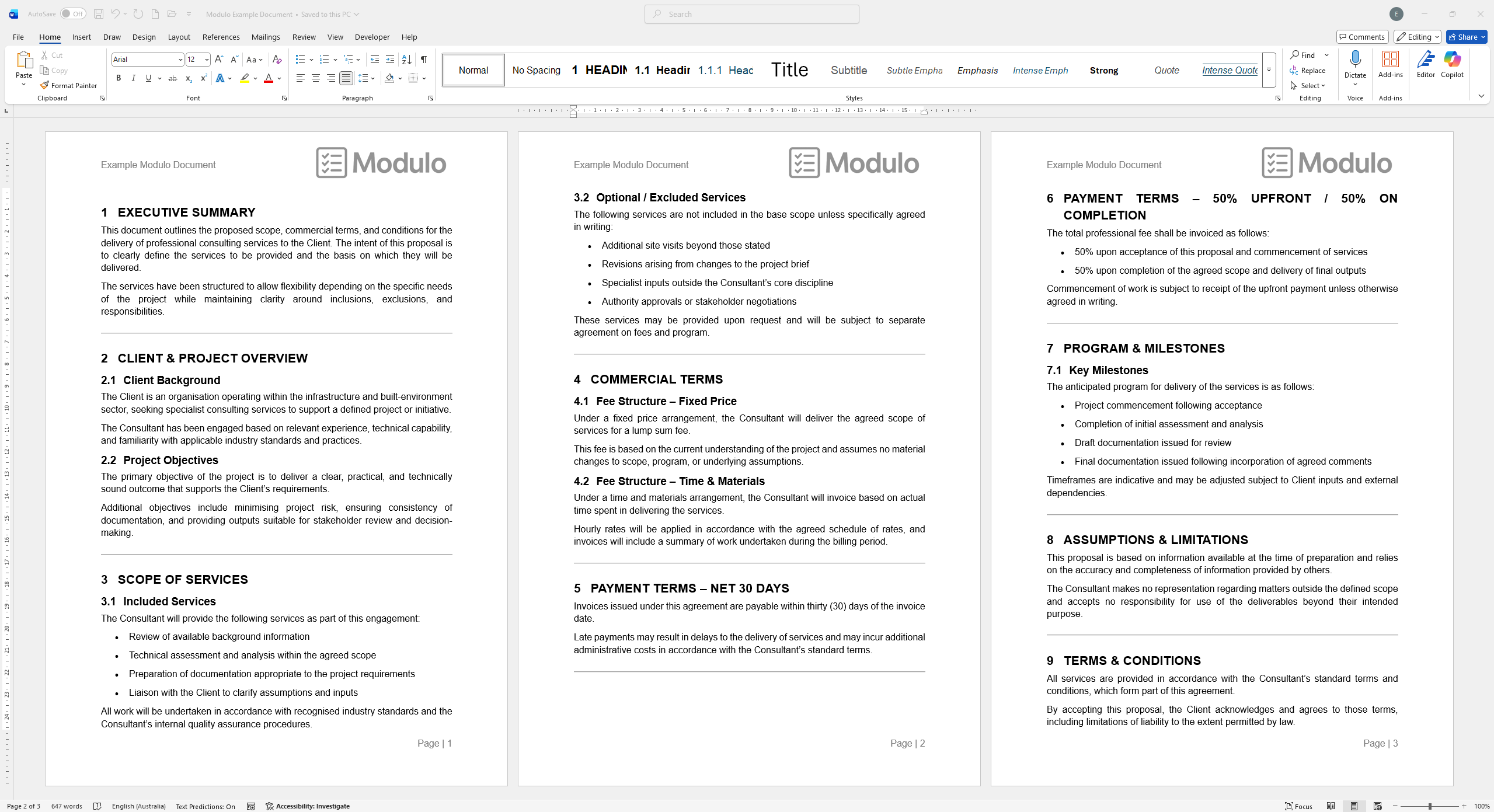
Maintain your master
Write everything in one standard Word document using ordinary heading styles. No tagging, no special format — masters can run to hundreds of pages and hundreds of sections.
 ⤤ Click to enlarge
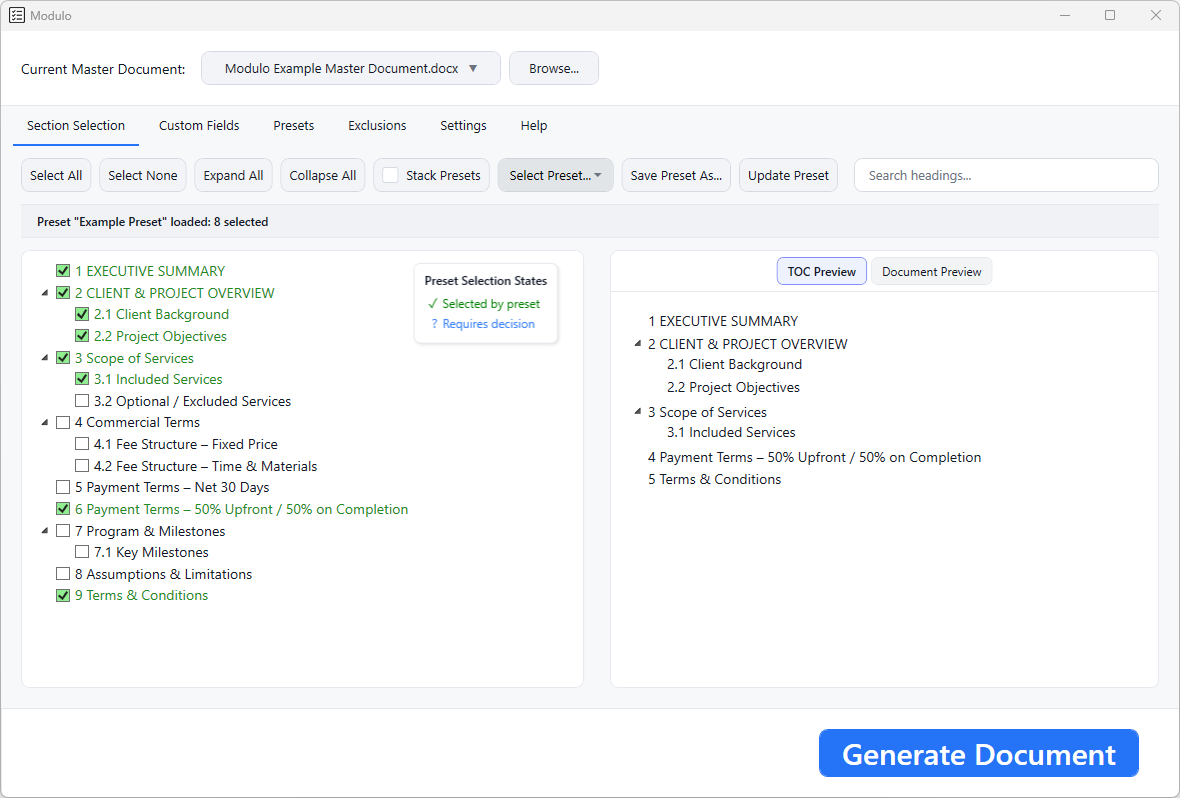
Tick what you need
Modulo shows your document as a visual checklist. Save common combinations as presets — standard sections auto-tick, project-specific calls get flagged for a conscious decision. Nothing slips through.
 ⤤ Click to enlarge
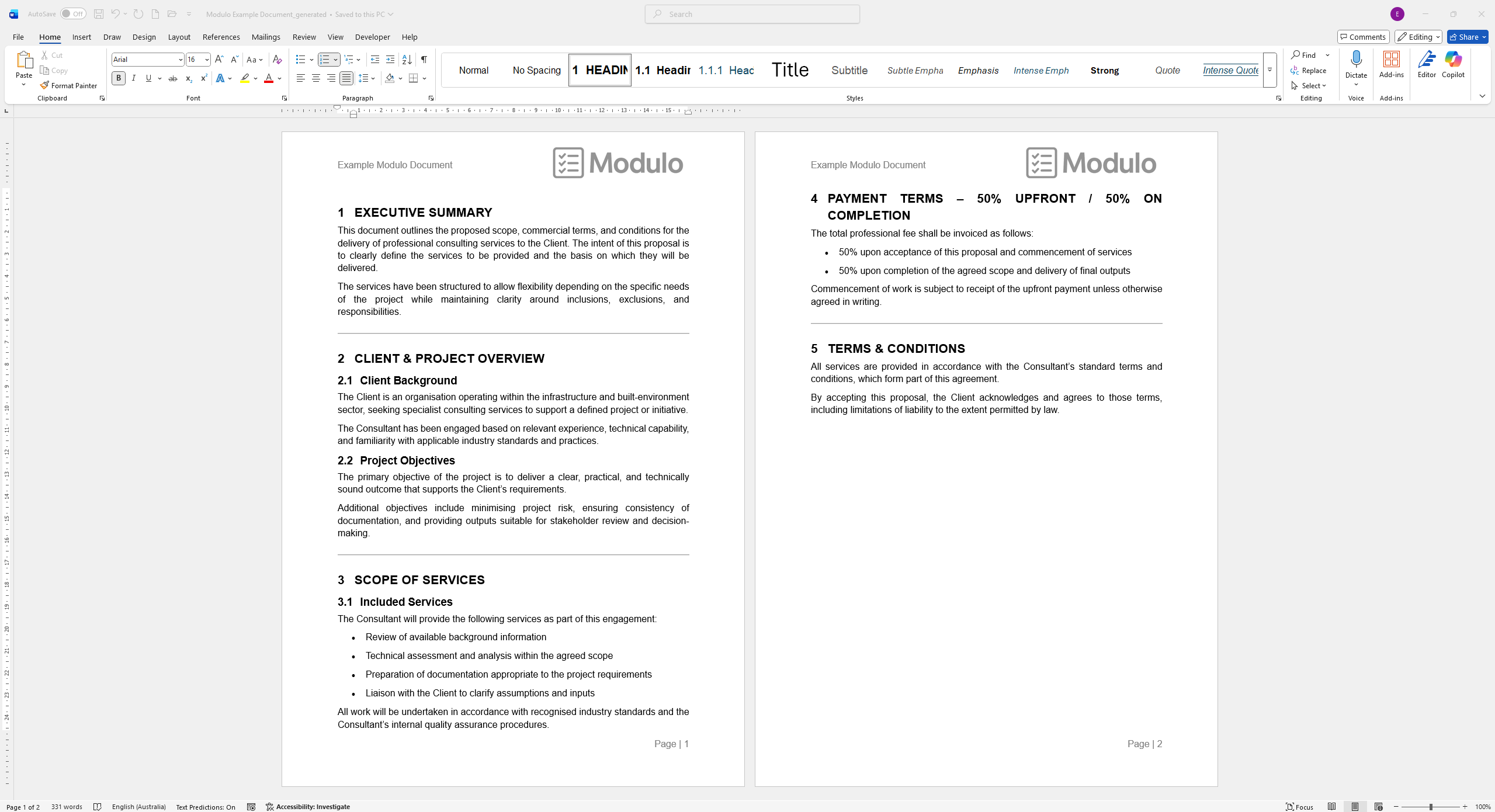
Generate
One click. Modulo produces a clean document with only your selected sections — formatting, tables, images, headers, footers, TOC and page numbers all intact.
 ⤤ Click to enlarge
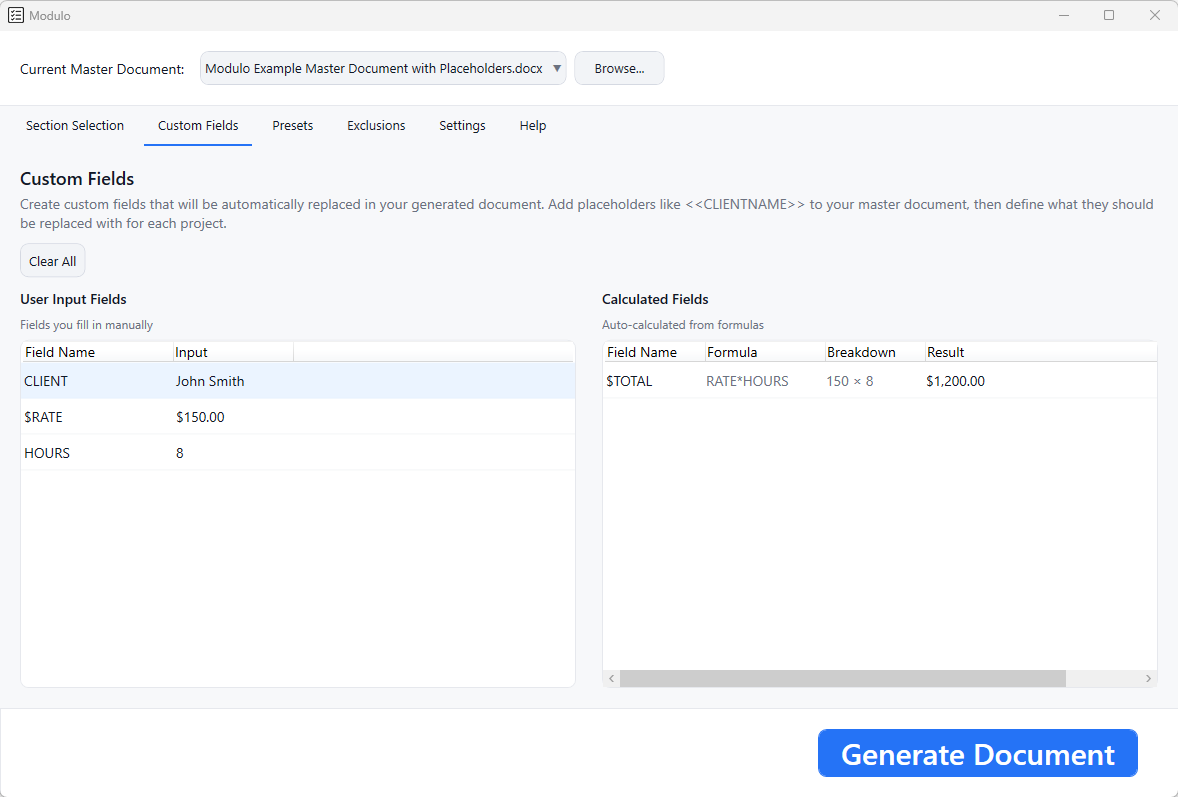
Personalise and calculate — automatically
Add placeholders like <<CLIENT NAME>> to your document and Modulo fills them in at generation — no manual find-and-replace, no risk of the wrong client's name going out.
Need numbers? Define formulas like <<$TOTAL=RATE*HOURS>> and Modulo calculates them, chains them together, and warns you before anything goes out blank.
 ⤤ Click to enlarge
No AI. No cloud. No lock-in.
Modulo doesn't write, suggest, summarise, or hallucinate. It assembles the sections your team has already written and approved — entirely on your machine.
Your words only
No language models, no generated text. Every word in a deliverable was written and approved by your team.
Nothing leaves your PC
No uploads, no cloud processing, no data collection. Modulo never sees your content.
No constant connection
Runs for extended periods without internet. Only a brief, occasional licence check.
Just a .docx
Your document is a standard Word file you own. Open and edit it in Word anytime — with or without Modulo.
Need IT approval? Read the IT Security Overview →
Built for teams that write the same document twice
Modulo doesn't care what's in your document — it reads Word heading structure. Any team producing structured, repeatable documents gets the same result.
If your team writes Word documents with a consistent section structure, Modulo will work for you.
How much could Modulo save you?
Drag the sliders to match your workflow — and this only counts document setup, not the review rounds and revision cycles it also shortens.
What changes when you switch
Nothing gets missed
The checklist approach ends forgotten sections, outdated content, and embarrassing omissions in deliverables.
Same output, any author
Every document starts from the same on-brand skeleton — less senior review time, less style drift.
Pure technical work
No "did I include everything?" anxiety. Your team focuses on content, not document structure.
Day-one productivity
Presets show new hires exactly what a complete document looks like for each project type.
Expertise that compounds
Every project improves the document. Senior knowledge is captured as a side effect of the work — not lost when people leave.
Update once, fix everywhere
When a standard or regulation changes, edit one place. Every future document inherits it automatically.
Frequently asked questions
Does it work with my existing Word documents? +
Yes. If your document uses Word heading styles (Heading 1, Heading 2, and so on), Modulo reads it immediately. No conversion, no reformatting, no setup wizard.
What about formatting — tables, images, headers, footers? +
Modulo preserves everything: section breaks, landscape pages, headers and footers, images, tables. Your generated document is indistinguishable from one built manually.
Do I need to be online to use Modulo? +
Modulo works for extended periods without an internet connection. It only needs a brief online check occasionally — no constant connection required.
Can my whole team share one document? +
Yes. Put it on a shared drive and everyone opens the same file. Presets can be shared too, so your team's common document types are one click away.
What does it run on? +
Windows 10 and 11 with the Microsoft Word desktop app (not Word for the web).
How long does setup take? +
If your document already uses heading styles, Modulo reads it instantly. Most users generate their first document within five minutes.
Try Modulo free for 30 days
No credit card. No cloud account. One trial key works for your whole team — every feature, unlimited seats.
By signing up you agree to the Privacy Policy and Terms